

Retail HR becomes complicated fast.
One store may be manageable with spreadsheets. But once you operate several outlets, HR teams have to manage changing shifts, attendance, overtime, payroll, recruitment, onboarding, leave, employee records, and workforce availability across multiple locations.
That is where HR software for retail becomes valuable.
The right retail HR software connects employee information, attendance, scheduling, payroll, recruitment, and HR workflows so managers do not have to move information manually between spreadsheets and disconnected systems.
This guide explains what a retail HR system is, which capabilities matter most, how different retail HR solutions compare, and what you should check before choosing software for your business.
Quick answer: The best HR software for retail should combine employee management, shift scheduling, attendance, payroll, recruitment, onboarding, employee self-service, reporting, and multi-location workforce visibility. The exact platform you need depends on your number of stores, workforce size, payroll complexity, country, and existing systems.
What Is a Retail HR System?

A retail HR system is software designed to manage HR processes for employees working across stores, outlets, warehouses, offices, and other retail locations.
Instead of maintaining separate files for employees, attendance, payroll, leave, recruitment, and shifts, businesses can manage these activities through a centralized HR platform.
Retail HR requirements can differ from those of a traditional office workforce because retailers commonly manage:
- Multiple stores or branches
- Full-time, part-time, temporary, and seasonal employees
- Rotating shifts
- Weekend and holiday work
- Overtime
- Different employee roles and pay structures
- Frequent recruitment
- High-volume onboarding
- Store-level managers
- Employees without regular desktop access
For this reason, choosing an HRMS that works well with distributed and shift-based teams is particularly important for retail businesses.
Best HR Software for Retail in 2026
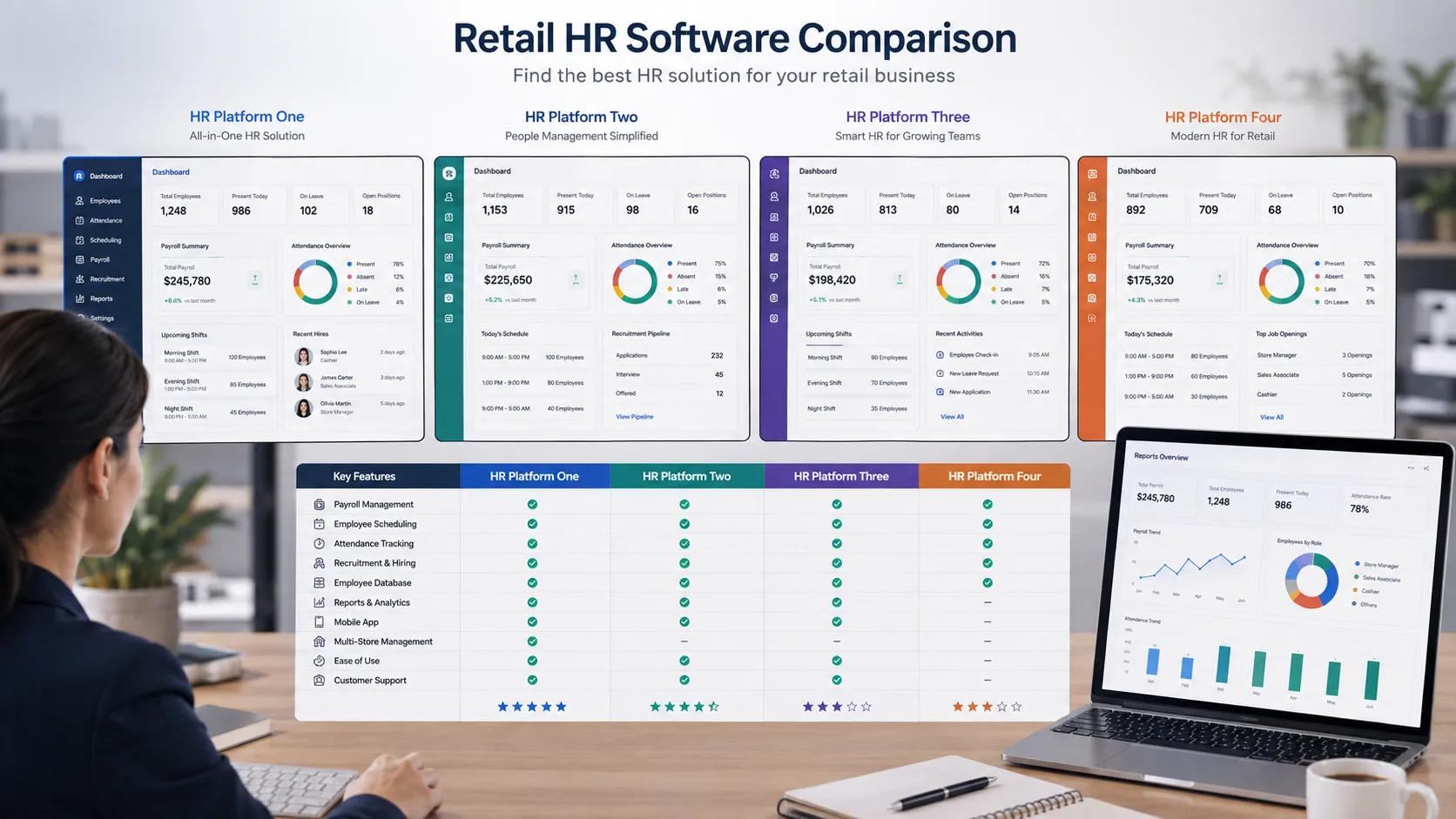
There is no single best HR software for retail for every company. A small local retailer and a nationwide chain may need very different systems.
Here are several platforms retailers may consider.
| HR software | Potential fit | Relevant capabilities |
| PeopleDesk | Bangladesh-based businesses and organizations seeking connected HR and payroll | Attendance, leave, payroll, employee management, ESS, performance, training and HR workflows |
| UKG | Larger and more complex retail workforces | HR, payroll, scheduling, time and attendance, workforce planning, analytics and high-volume hiring |
| Deputy | Retailers focused heavily on scheduling and hourly workforce management | Scheduling, shift swapping, time tracking, timesheets, demand forecasting and integrations |
| Zoho People | SMBs looking for configurable HR management | Employee records, onboarding, attendance, shifts, roster management, geofencing and biometric integrations |
| Rippling | Businesses wanting HR, payroll and workforce processes connected | Employee records, onboarding, payroll, scheduling and workforce management |
| Keka | Retail businesses that need integrated HR and payroll | Attendance, shifts, overtime, payroll, onboarding, employee records and performance management |
| BambooHR | Businesses prioritizing core HR and onboarding | Employee records, onboarding, applicant tracking, reporting and related HR workflows |
Do not choose software based on the longest feature list.
Instead, test whether it can handle the real processes your stores perform every day.
HR Software for Retail Industry and Retail Companies: Essential Features
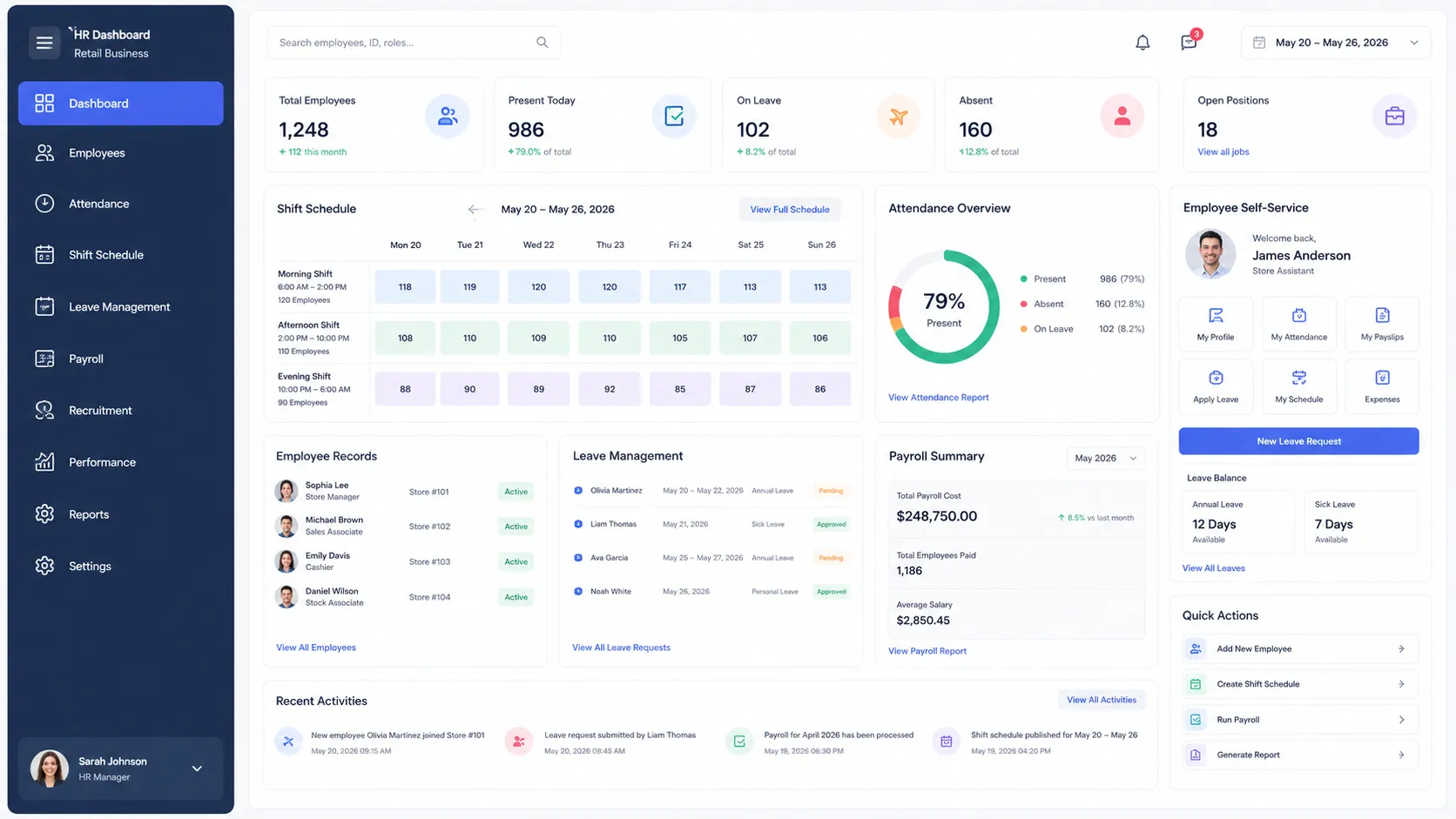
The most useful HR software for retail industry operations should support both the HR department and store-level workforce management.
Important capabilities include:
Shift and roster management
Store managers should be able to assign employees to appropriate shifts, manage weekly schedules, handle shift changes, and maintain adequate staffing.
Attendance management
The platform should make it easy to capture employee attendance across locations using the methods appropriate for your operation, such as biometric devices, mobile attendance, web check-in, or location-based attendance.
Centralized employee information
HR teams should have one reliable employee record containing personal information, employment history, documents, department, location, position, compensation information, and relevant HR records.
Leave management
Employees should be able to request leave while managers can approve requests and understand how absences affect store staffing.
Payroll integration
Attendance, overtime, approved leave, deductions, allowances, and other relevant information should flow into payroll without unnecessary manual data entry.
Employee self-service
Retail workers should be able to access important HR information without contacting HR for every routine request.
This becomes increasingly important as a retail company adds new stores and employees.
Retail HR Solution for Multi-Location Workforce Management

A retail HR solution should give head office a centralized view without removing necessary control from individual stores.
For example, HR may define company policies centrally while store managers handle daily attendance exceptions, employee requests, and scheduling.
Useful multi-location capabilities include:
- Store or branch-based employee assignment
- Department and designation management
- Location-specific schedules
- Centralized attendance reporting
- Store-level approval workflows
- Employee transfer management
- Payroll reporting by branch or business unit
- Workforce analytics
- Manager permissions based on location
Without centralized workforce visibility, expanding from five stores to twenty can multiply HR administration rather than simply increasing employee count.
HRMS for Retail Industry: Attendance, Shifts and Workforce Control
A good HRMS for retail industry operations connects daily workforce activity with the central employee database.
This matters because attendance, shifts, leave, overtime, transfers, and payroll are related.
Consider an employee who moves temporarily from one store to another.
HR may need to know:
- Which store the employee worked at
- Which shift applied
- How many hours were worked
- Whether overtime occurred
- Whether attendance was properly recorded
- Which manager should approve an exception
- How the information should affect payroll
When these activities happen in disconnected systems, HR employees often have to reconcile the information manually.
An integrated HRMS reduces those gaps by keeping workforce processes connected.
HR Payroll Software for Retail and Payroll Management System for Retail Operations
HR payroll software for retail becomes especially important when employees work variable schedules.
Retail payroll may involve:
- Monthly salaries
- Hourly wages
- Overtime
- Late or absence deductions
- Bonuses
- Commissions
- Allowances
- Holiday work
- Shift-based rules
- Loans or advances
- Statutory deductions
A payroll management system for retail should therefore do more than calculate a basic monthly salary.
The most important question is how payroll receives its data.
If attendance, approved leave, overtime, and employee records already exist within the HR platform, payroll teams can reduce repetitive data entry and reconciliation.
When evaluating payroll functionality, ask vendors to demonstrate a realistic payroll workflow using scenarios similar to your own business.
Check how the software handles corrections, overtime, attendance adjustments, salary changes, deductions, bonuses, final settlements, and payroll approvals.
Recruitment HR Solution for Retail and HR Recruitment Software for Retail Hiring
Retail recruitment can be continuous.
Stores may regularly need sales associates, cashiers, supervisors, warehouse employees, delivery staff, customer service employees, merchandisers, and seasonal workers.
A recruitment HR solution for retail can help organize this process.
Useful recruitment capabilities include:
- Job requisitions
- Vacancy management
- Candidate databases
- Application tracking
- Interview scheduling
- Candidate status tracking
- Offer management
- Recruitment approvals
- Hiring reports
- Converting selected candidates into employee records
An HR recruitment software for retail becomes more useful when recruitment and core HR are connected.
Once a candidate accepts an offer, their information should ideally move into onboarding and employee management without HR entering the same information again.
This creates a smoother transition from candidate to employee.
HR Onboarding Software for Retail Industry
Search demand around HR onboarding software for retail industry also shows that retailers are actively looking for ways to simplify new-hire administration.
This is particularly relevant when businesses hire employees across several locations.
Digital onboarding can help retailers organize:
- Employee information collection
- Required documents
- Employment forms
- Policy acknowledgement
- Manager approvals
- Department and store assignment
- Employee ID creation
- Initial training
- Payroll information
- Shift assignment
The goal should be to create a repeatable onboarding process.
A new employee joining Store A should receive the same required documentation and HR workflow as an employee joining Store B, while still allowing location-specific requirements where necessary.
Retail Employee Management Software and Employee Engagement Software for Retail
Retail employee management software should provide more than a database of employee names.
HR teams need visibility into the employee lifecycle, from joining through transfers, promotions, performance reviews, training, payroll, and exit.
Employee self-service is also important for frontline employees.
Depending on the software, employees may be able to access:
- Payslips
- Attendance information
- Leave balances
- Leave requests
- Personal information
- Company announcements
- HR requests
- Training information
- Shift information
Employee engagement software for retail may also provide surveys, recognition, feedback, announcements, performance conversations, or internal communication features.
However, software cannot create employee engagement by itself.
It can make communication and HR services easier, but store leadership, compensation, scheduling practices, career opportunities, workplace culture, and management quality still influence the employee experience.
Payroll Software for Retail Industry: What to Check Before Buying
When comparing payroll software for retail industry operations, do not evaluate payroll separately from attendance and workforce management.
Ask these questions during the demo:
- Can attendance data automatically feed into payroll?
- Can the system handle multiple shifts?
- How is overtime calculated?
- Can different employee groups follow different payroll rules?
- How are bonuses, commissions, allowances, and deductions managed?
- Can employees access their payslips?
- How are payroll corrections handled?
- Does the software support the statutory requirements of the countries where we operate?
- Can payroll reports be filtered by store, location, department, or business unit?
- What approval controls and audit trails are available?
Compliance requirements differ by country, so retailers should verify local payroll, tax, employment, data protection, and statutory functionality directly with each vendor.
HR Management Software for Retailers: How to Choose the Right Platform
Choosing HR management software for retailers should begin with your business processes, not vendor demonstrations.
1. Map your current HR workflow
Document how recruitment, onboarding, attendance, scheduling, leave, overtime, payroll, performance, and employee exits work today.
Identify where employees are manually entering the same information more than once.
2. List your retail-specific requirements
Consider:
- Number of stores
- Number of employees
- Employee types
- Shift patterns
- Attendance methods
- Payroll complexity
- Countries of operation
- Seasonal hiring
- Store-level permissions
- Existing accounting, POS, ERP, or payroll systems
3. Test real workflows
Instead of watching only a standard presentation, ask the vendor to demonstrate realistic scenarios.
For example:
- Transfer an employee between stores
- Correct a missing attendance record
- Approve overtime
- Process a leave request
- Add a new employee
- Run a sample payroll
- Assign a rotating shift
You will learn far more from a real workflow than from a feature checklist.
4. Evaluate employee usability
Retail HR software is not only for HR professionals.
Store managers and frontline employees may use it regularly.
Test the mobile experience, employee self-service functions, approvals, attendance, and basic navigation.
5. Check integrations and implementation
Ask what happens to your existing employee information and how the software connects with your other business systems.
Important questions include:
- How is historical data migrated?
- What integrations are available?
- Is an API available?
- What attendance devices are supported?
- What implementation assistance is provided?
- How are administrators trained?
- What support channels are available?
HR Software for Grocery and Supermarket Retail
Grocery stores and supermarkets face many of the same HR challenges as other retailers, but scheduling can be particularly complex because operations may cover extended hours and different teams.
A grocery HR system may need to manage employees working in:
- Checkout
- Customer service
- Inventory
- Warehouse operations
- Receiving
- Fresh food departments
- Cleaning
- Security
- Delivery
- Store management
For these businesses, prioritize attendance, shift scheduling, overtime management, employee records, payroll integration, workforce visibility, training records, and mobile employee access.
If certification or training requirements apply to particular roles, confirm that the HR platform can record them and provide appropriate reminders or reporting.
Best Retail Workforce Software: Features That Matter as You Grow
The best retail workforce software should continue working as your store network becomes more complex.
Before making a long-term decision, consider whether the platform can support:
- More locations
- Larger employee numbers
- Additional companies or business units
- More complex approval structures
- Multiple employee categories
- Additional shifts
- New integrations
- Additional payroll requirements
- More sophisticated reporting
- Role-based access for regional and store managers
Scalability is not simply about how many employees a database can store. It is about whether workflows remain manageable when your organization becomes more complex.
Frequently Asked Questions About Retail HR Software
What is a retail HR system?
A retail HR system is software used to manage employees, recruitment, onboarding, attendance, shifts, leave, payroll, performance, records, and other HR activities across retail stores and business locations.
What is the best HR software for retail?
The best HR software for retail depends on business size, number of locations, payroll requirements, workforce structure, country, integrations, and HR processes. Retailers should prioritize attendance, scheduling, payroll integration, employee management, recruitment, onboarding, self-service, and multi-location reporting.
What is the difference between HRMS and HR software for retail?
HR software is a broad term for technology used to manage HR activities. An HRMS generally combines multiple HR functions such as employee records, attendance, leave, payroll, recruitment, performance, and reporting within a connected system.
Can retail HR software manage multiple stores?
Yes, many HRMS and workforce management platforms are designed to manage employees across multiple locations. However, you should verify location management, reporting, scheduling, permissions, and payroll capabilities during the vendor evaluation.
Can retail HR software handle payroll?
Many retail HR platforms either include payroll or integrate with payroll software. Check whether attendance, overtime, leave, bonuses, deductions, and employee information can flow into payroll accurately.
Can HR software help with retail recruitment?
Yes. Recruitment software can centralize vacancies, candidate applications, interview stages, offers, hiring approvals, and candidate information. Integrated HR systems can then move successful candidates directly into onboarding.
Why is onboarding software useful for retailers?
Retailers may recruit employees frequently across several stores. Standardized digital onboarding helps HR collect information, assign documentation, complete approvals, organize training, and create employee records consistently.
Does retail HR software support employee self-service?
Many modern HR platforms provide employee self-service for activities such as leave applications, payslips, attendance information, personal details, and HR requests. Available features vary by vendor.
Conclusion
Retail businesses need more than a basic employee database.
As the number of stores and employees grows, recruitment, onboarding, shifts, attendance, leave, overtime, payroll, and employee management become increasingly connected.
The right retail HR software brings those processes together and gives HR teams, managers, and employees access to the information they need without depending on multiple spreadsheets.
For retailers evaluating an HRMS, focus first on your most complex workflows: multi-location attendance, shift management, payroll, recruitment, onboarding, and employee self-service.
PeopleDesk provides connected HR functions including employee management, attendance, leave and payroll management, employee self-service, performance management, training, and other HR workflows.
If your retail business operates in Bangladesh and you want to evaluate whether PeopleDesk fits your workforce requirements, request a demo and test the system against your actual store, attendance, shift, and payroll processes.
Book a Demo: https://ibos.io/contact-us/#website-demo


