A retail store does not really close when the shutter comes down.
It closes when cash matches, exceptions are reviewed, returns are traceable, discounts make sense, and the stock movement recorded by the system agrees with what happened at the counter.
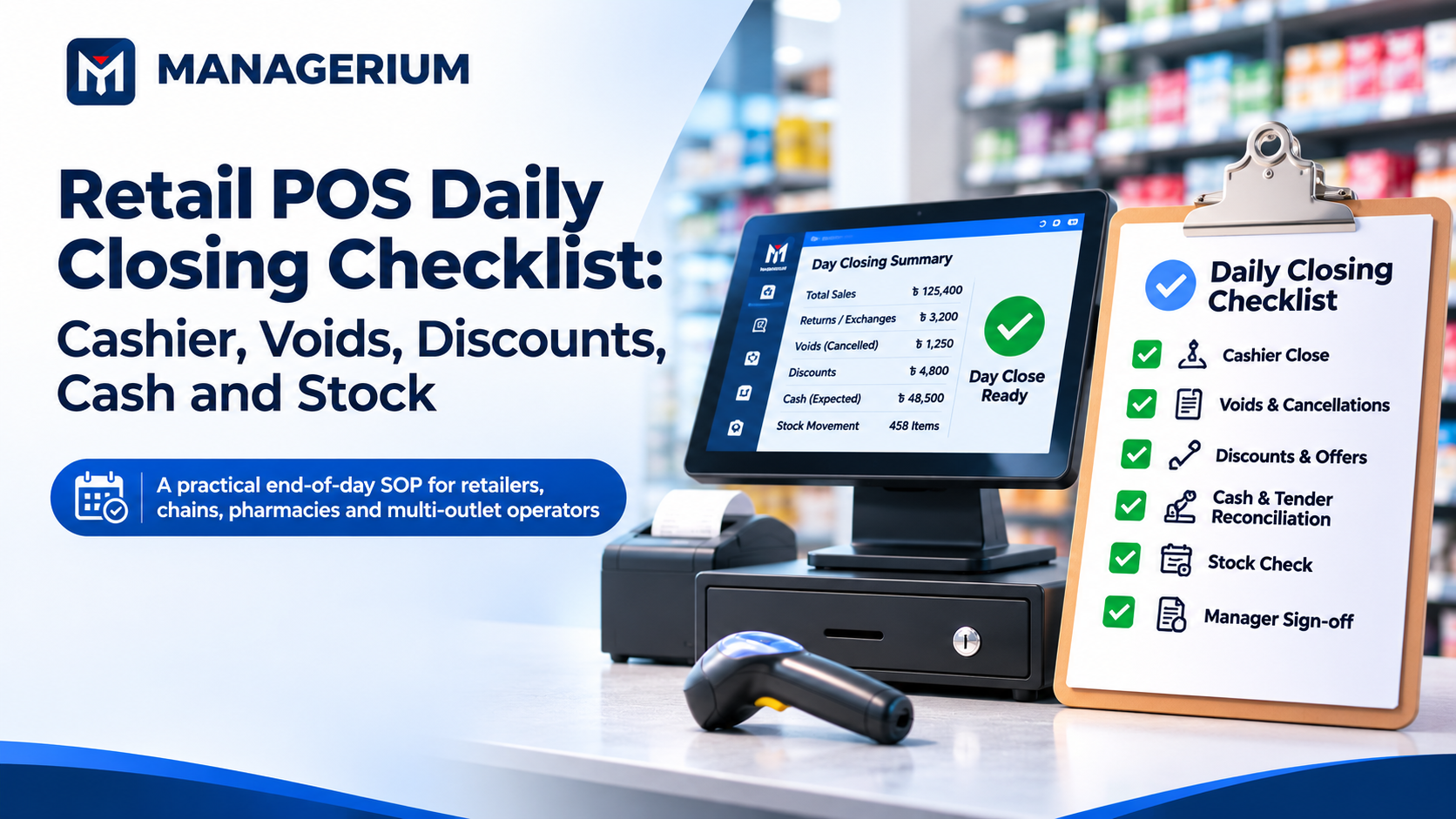
That is why a retail POS daily closing checklist should be treated as an operational control process, not just a final button a cashier clicks before going home.
Many next-day retail problems actually begin the night before. The opening cashier inherits the wrong float. A discount is questioned after the customer has left. A return changes stock without a clean reference. One counter reports a cash difference. Head office sees the issue only after sales, stock and accounts no longer tell the same story.
This checklist gives cashiers, store managers, finance teams and multi-outlet operators a practical way to close the trading day with fewer unexplained gaps.
Why Retailers Lose Control at Day-End
Retailers lose control at closing time when the process is treated as a billing shutdown instead of a control handoff.
A cashier may finish every normal sale correctly and the outlet can still close badly if:
- one cancelled transaction has no explanation
- a return or exchange is only partly recorded
- a discount does not match the approved offer
- a payment is recorded under the wrong tender type
- a stock adjustment is made without a clear reason
- a cashier variance is absorbed into the outlet total
- an unresolved issue is simply pushed into tomorrow
The result is usually not dramatic at 10 PM.
It appears the next morning as wrong opening cash, unexplained stock, pricing disputes, delayed finance posting or inconsistent branch reporting.
That is why a good POS closing process should connect the counter with the back office.
For retailers evaluating how billing, inventory and reporting should work together, this guide to POS software for retail business provides the broader system context behind those daily controls.
What a Retail POS Daily Closing Checklist Should Cover
A useful retail POS daily closing checklist should cover five areas:
- Cashier and counter close
- Void, discount, return and exception review
- Cash and tender reconciliation
- Stock movement checks
- Manager or head-office sign-off
Responsibility should also be separated by role.
| Role | Main closing responsibility |
|---|---|
| Cashier | Finish pending transactions, record returns and exchanges, count cash and hand over |
| Supervisor / Store Manager | Review exceptions, discounts, cancelled transactions and unresolved issues |
| Finance / Accounts | Reconcile tender totals, credit sales and documented differences |
| Stock / Operations | Check sales-related stock movement, returns and selected sensitive items |
| Head Office | Review significant branch-level exceptions and unresolved differences |
The sequence matters.
The counter should close before the final exception review. Exceptions should be reviewed before money is signed off. Stock should be checked after the day’s sales, returns and corrections are complete.
Otherwise, one incomplete step can make the next check look wrong.
1. Stop New Transactions and Clear Pending Bills
The cashier should stop taking new transactions at the agreed cutoff and review every unfinished transaction before handing over the counter.
Check for:
- suspended sales
- parked transactions
- incomplete returns
- unresolved exchanges
- open customer cases
- credit sales not fully recorded
Nothing important should sit overnight without a status.
A parked sale that nobody understands the next morning may be treated as a live sale, an abandoned transaction or a billing error.
Each interpretation creates a different sales and stock position.
The first rule of the retail POS daily closing checklist is simple:
Do not close the counter while transaction status is still unclear.
2. Confirm Returns, Exchanges and Credit Sales
Returns and exchanges deserve special attention because they affect more than sales value.
They can also affect:
- item quantity
- stock availability
- customer balance
- refund value
- replacement product
- accounts records
Where the business process requires it, a return or exchange should remain traceable to the original transaction.
A clean record should show:
- source bill or reference
- affected item
- quantity
- value difference
- refund or replacement method
- approving person where approval is required
Managerium Retail ERP supports verified retail workflows including barcode billing, discounts and offers, returns and exchanges, credit sales and multi-counter operations as part of its broader retail operating system.
That broader context matters because a return is not only a cashier event. It can affect stock and finance at the same time.
3. Review Voids, Discounts and Other Exceptions
Normal sales usually need less investigation than exceptions.
Closing review should focus on activity that changed the normal transaction flow.
That may include:
- cancelled bills
- line-item voids
- unusual discount use
- manual price changes
- return-related adjustments
- repeated corrections by one counter
- transactions that required supervisor intervention
A void does not automatically mean fraud.
A discount does not automatically mean misuse.
The purpose of review is to make the reason visible.
| Exception | What to review | Why it matters |
|---|---|---|
| Full transaction cancellation | Reason, time, cashier, approval | Confirms why a completed or near-completed transaction was reversed |
| Line-item void | SKU, quantity, frequency | Helps identify scanning, pricing or process issues |
| Unusual discount | Original price, applied discount, offer rule | Protects pricing consistency |
| Return without clean reference | Supporting evidence and source sale | Protects stock and finance traceability |
Discount review is particularly important across multiple branches.
If one outlet repeatedly uses deeper discounts than another, the issue may be an outdated offer, local override, approval gap or inconsistent pricing setup.
That is no longer only a cashier problem. It is a pricing-control problem.
Shopify retail operations guidance also recommends documented opening and closing procedures, till reconciliation and controlled staff permissions for sensitive POS actions such as refunds and exchanges.
4. Count the Cash Drawer and Record the Handover
The cashier should count the physical drawer and separate the opening float from sales cash.
Record:
- cashier name
- terminal or counter
- closing time
- opening float
- expected cash
- counted cash
- variance
- explanation if known
Do not silently fix a small difference.
A small unexplained variance is still an unexplained variance.
A repeat pattern across several days can matter much more than one isolated amount.
The purpose of the handover record is accountability.
Someone reviewing tomorrow should be able to understand what the cashier handed over without reconstructing the shift from memory.
5. Reconcile Cash, Card, Digital Payments and Credit Sales
Cash drawer reconciliation is only one part of the money check.
Retailers may also need to compare:
- card totals
- mobile or digital payment records
- credit sales
- other configured tender types
A practical example:
| Tender | POS expected | Supporting amount | Status |
|---|---|---|---|
| Cash | 48,500 | 48,000 | 500 variance, note required |
| Card | 22,000 | 22,000 | Match |
| Digital payment | 9,800 | 9,800 | Match |
| Credit sales | 6,500 | Customer references available | Review complete |
| Opening float | 5,000 | 5,000 | Separate from sales |
The numbers above are illustrative. Your actual tender types and controls should follow your business setup.
Finance or the outlet manager should verify that unresolved differences have an owner before the day is signed off.
In a multi-counter outlet, reconciliation should happen in two layers:
Cashier level first. Outlet total second.
Do not allow one cashier’s unexplained variance to disappear inside the combined outlet total.
6. Check Why Tender Totals Do Not Match
Most closing differences come from understandable process errors.
Common causes include:
- wrong tender selection
- late return entry
- duplicate transaction posting
- missing card or settlement evidence
- unrecorded paid-out cash
- reversal posted at the wrong time
- simple counting error
The goal is not to pretend mismatches never happen.
The goal is to make each significant difference visible, attributable and reviewable before the next shift starts.
A good retail POS daily closing checklist turns “cash doesn’t match” into a specific issue with a reason, owner and next action.
7. Reconcile POS Sales With Stock Movement
The financial close is not enough.
A retailer also needs to understand whether sales activity changed inventory as expected.
Day-end stock review should consider:
- billed sales
- customer returns
- exchanges
- damaged items
- manual adjustments
- transfers affecting the outlet
Do not try to recount the entire store every night.
Instead, use the system records to identify where physical verification matters most.
A simple daily routine is:
- Review sales quantity for selected items
- Check related returns and exchanges
- Review unusual adjustments
- Check transfer activity where applicable
- Spot-count high-risk or high-value items
- Investigate unexplained differences
For the deeper stock workflow, use this guide on reconciling POS sales with warehouse inventory.
The principle is straightforward:
Opening stock + valid inward movement – valid outward movement = expected closing stock.
Then compare expected stock with the system and, where necessary, physical stock.
8. Focus Physical Checks on the Right Items
Different retailers have different closing risks.
A supermarket may focus on:
- fast-moving items
- high-value items
- repeated adjustment SKUs
Fashion retailers may need extra attention on:
- size variants
- colour variants
- items frequently exchanged
Bakery and sweets businesses may pay more attention to:
- short-shelf-life stock
- outlet transfers
- damaged or unsellable products
Pharmacy and healthcare retail may require batch, lot or expiry review where that workflow is part of the actual business configuration.
The objective is not to count everything.
It is to identify the items where one bad transaction creates the biggest next-day problem.
For broader daily, weekly and month-end stock controls, see the retail inventory reconciliation guide.
9. Get Manager Sign-Off Before the Day Is Closed
The cashier can close a counter.
The manager closes the day.
Single Outlet
The store manager or owner should review:
- daily sales summary
- tender summary
- cash difference
- exceptions
- return issues
- stock note
Multi-Counter Outlet
The outlet manager should review:
- cashier-level closing
- individual variances
- exception approvals
- outlet roll-up
- unresolved counter issues
Multi-Outlet Chain
Head office or operations should focus on:
- significant outlet-level variances
- unusual discount patterns
- pricing inconsistency
- large stock differences
- repeat exceptions
- unresolved issues requiring escalation
| Retail setup | Minimum sign-off | Main review |
|---|---|---|
| Single outlet | Owner / Store Manager | Sales, cash, exceptions, stock note |
| Multi-counter | Outlet Manager | Cashier close and outlet roll-up |
| Multi-outlet | Operations / Head Office | Branch exceptions and cross-outlet patterns |
For retailers where this process is becoming difficult across branches, the issue may be larger than day-end closing.
The guide on retail ERP vs POS for multi-outlet stores explains where a standalone counter system can start becoming insufficient as operational complexity grows.
Daily Closing Mistakes That Create Next-Day Problems
Common examples include:
- leaving pending transactions unresolved
- accepting undocumented cancellations
- skipping tender evidence
- recording only half of an exchange
- carrying cashier differences without explanation
- ignoring stock adjustments
- closing the outlet before exceptions are reviewed
Wrong closing cash becomes wrong opening cash.
Incomplete returns distort both sales and stock.
Unreviewed discounts weaken pricing control.
Unmatched credit sales complicate finance.
Missing notes force the next manager to guess what happened.
That is why disciplined closing is less about perfection and more about traceability.
Copyable Retail POS Daily Closing Checklist
Use this simple retail POS daily closing checklist as a starting point for your own SOP.
| Area | Task | Owner | Status |
|---|---|---|---|
| Counter close | Stop new sales and clear open transactions | Cashier | Done / Issue |
| Returns / exchanges | Complete and reference customer exceptions | Cashier | Done / Issue |
| Cash handover | Count cash, separate float and note variance | Cashier | Done / Issue |
| Exception review | Review cancellations, voids and discounts | Supervisor | Done / Issue |
| Tender reconciliation | Match cash, card, digital and credit totals | Manager / Accounts | Done / Issue |
| Stock review | Check movement and selected sensitive SKUs | Stock / Manager | Done / Issue |
| Sign-off | Record open issues and approve the close | Manager / Head Office | Done / Issue |
Sample Discrepancy Log
| Time | Issue | Amount / Item | Action | Owner |
|---|---|---|---|---|
| 9:18 PM | Cash variance | 500 | Recount completed, note recorded | Outlet Manager |
| 9:26 PM | Return reference missing | SKU-204 | Source transaction verified | Supervisor |
| 9:41 PM | Stock variance | SKU-310 | Physical recount requested | Stock Lead |
The numbers and SKUs above are examples only.
The useful structure is:
Issue → evidence → owner → action → closure
How Connected Retail ERP Supports a Cleaner Daily Close
A connected retail ERP can reduce the gaps between what happens at the counter and what management sees later.
Managerium Retail ERP is positioned as a broader retail operating system rather than only a POS.
Its verified scope connects POS and billing with:
- inventory
- purchase
- accounts and finance
- pricing and offers
- customer and supplier management
- permissions
- analytics
- multi-outlet operations
Relevant verified retail capabilities include:
- barcode billing
- discounts and offers
- returns and exchanges
- credit sales
- multi-counter operations
- item-wise inventory tracking
- stock transfers
- stock audit
- purchase workflows
- multiple pricing
- integrated accounting
- permissions
- analytics
- audit and change visibility
The important point is not that software makes discrepancies impossible.
It does not.
Connected systems make the transaction trail easier to review.
The cashier still needs to enter transactions correctly. Managers still need to review exceptions. Stock teams still need to investigate physical differences. Finance still needs to understand unresolved variances.
Software improves visibility and traceability. Operational discipline completes the process.
What Software Can Control and What People Still Need to Do
A system can help control:
- transaction records
- pricing setup
- permissions
- stock movement
- reports
- user actions
- connected finance records
People still need to:
- follow the closing sequence
- enter the correct transaction
- document exceptions
- investigate differences
- complete approvals
- conduct physical verification where needed
This distinction matters when comparing POS software for retail business.
Do not only ask whether a platform can generate a sales report.
Ask whether the system helps your team trace a day from billing to stock to finance without rebuilding the story from spreadsheets, messages and manual follow-up.
Frequently Asked Questions
What Is a Retail POS Daily Closing Checklist?
A retail POS daily closing checklist is an end-of-day control routine covering cashier close, transaction exceptions, cash and other tenders, returns, stock movement and management sign-off before the next trading day begins.
Who Should Approve the Daily POS Close?
Cashiers should complete counter-level closing tasks, but final approval should usually sit with a store manager, supervisor, owner or head-office operations reviewer who can assess exceptions, money and stock together.
What Should Be Included in a Void and Discount Review?
Review relevant cancelled transactions, line-item voids, unusual discounts, overrides, return-related adjustments, cashier details, timing and approval evidence according to your retail policy.
The purpose is to identify exceptions that need explanation, not to assume every exception is misuse.
How Often Should Retailers Reconcile POS Sales With Stock?
Some level of POS-to-stock checking can be useful daily for high-risk or high-movement items.
Broader cycle counting and formal reconciliation can follow weekly or month-end schedules depending on transaction volume, SKU value and business risk.
Does Retail POS Closing Mean Only Counting Cash?
No. Cash is only one part of the close.
A proper daily closing procedure should also review transaction status, returns, discounts, exceptions, other tender types, stock movement and unresolved discrepancies.
Can Retail ERP Remove Stock Mismatches Completely?
No.
Connected software can improve transaction visibility, stock control, approvals and auditability, but accurate inventory still depends on correct receiving, billing, transfers, returns, adjustments and physical-count discipline.
When Does a Retailer Need More Than a Standalone POS?
When the main problem moves beyond checkout into multi-outlet inventory, purchases, stock transfers, pricing control, accounts and head-office reporting, a broader retail ERP may become more appropriate than a standalone counter-focused system.
Close the Day So Tomorrow Starts Clean
A strong retail POS daily closing checklist does not need to be complicated.
It needs to make five things clear:
What happened?
Does the money match?
Do the exceptions make sense?
Did stock move correctly?
Who owns anything that remains unresolved?
If your daily close still depends on separate counter records, spreadsheets and next-morning reconciliation, review Managerium Retail ERP to see how POS, stock, purchase, pricing, accounts and outlet operations can work in one connected retail workflow.
For a workflow-specific discussion, talk to the iBOS team about your current closing process.