A performance management system can look impressive in a demo and still create problems after implementation.
The dashboard may be polished. KPI charts may look clear. Appraisal forms may be easy to complete.
But the real question is not whether the software can display a performance score.
It is whether HR, managers and employees can clearly understand:
- what is being measured
- who set the target
- how progress is reviewed
- who can change a rating
- what evidence supports the appraisal
- what happens after the review
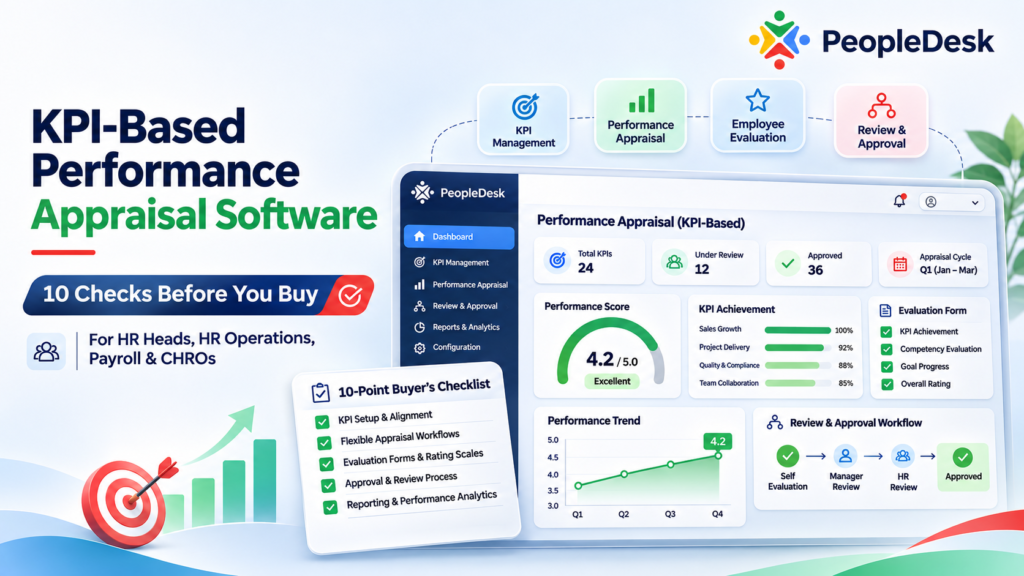
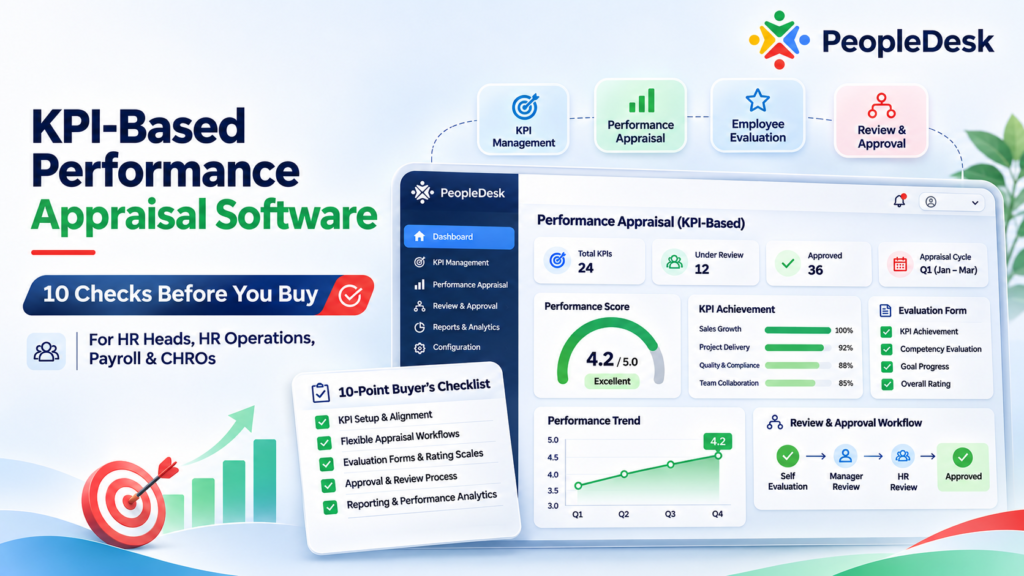
That is why choosing KPI-based performance appraisal software should be treated as a process decision, not simply a software purchase.
According to CIPD’s current performance management guidance, effective performance management goes beyond annual ratings. It includes objective setting, regular feedback, performance reviews, development and ongoing conversations between managers and employees.
For HR heads and CHROs evaluating performance management software in Bangladesh, these are the checks that matter most.
1. Can KPIs Connect to Real Business Objectives?
Start with the KPI structure.
A system may allow HR to create dozens of KPIs, but more KPIs do not automatically create a better performance-management process.
The better question is:
Can individual and departmental KPIs connect to what the organization is actually trying to achieve?
For example, a sales employee might be measured on:
- revenue
- collection
- new customers
- retention
- reporting discipline
A warehouse employee may need completely different KPIs:
- order accuracy
- inventory variance
- dispatch timeliness
- stock handling
- operational compliance
The same appraisal template should not be forced across unrelated roles.
CIPD also notes that performance measures should be relevant to the role and aligned with organizational objectives. In complex or collaborative jobs, behavioural or learning objectives can sometimes be more useful than rigid numeric targets.
During the demo, ask:
“Show me how you would create completely different KPI structures for a salesperson and a warehouse employee.”
That simple test can reveal whether the software supports genuine performance management or simply digitizes an appraisal form.
If you are evaluating the wider HR technology stack at the same time, our HRM Software in Bangladesh: 7 Buying Checks for 2027 provides a broader HR software evaluation framework.
2. Can HR Define Clear Targets and Measurement Rules?
A KPI without a clear measurement rule can create disagreement later.
Suppose an employee has a KPI called:
Customer Service Quality
How exactly will it be measured?
It could depend on:
- complaint volume
- customer rating
- response time
- issue-resolution rate
- manager evaluation
- several measures combined
The software should make the logic understandable before the appraisal period begins.
For numeric KPIs, HR should be able to define the target, actual result, measurement period and weighting.
For qualitative performance areas, the rating criteria should also be clear.
If one manager interprets “Excellent” differently from another, the resulting scores become difficult to compare.
3. Can KPI Weighting Reflect Business Priorities?
Not every KPI should contribute equally to the final evaluation.
For example:
Revenue: 40%
Collection: 20%
New Customers: 15%
Retention: 15%
Reporting Discipline: 10%
A useful performance appraisal system should allow KPI weighting to reflect the priorities of the role.
But HR also needs control over those weights.
Before selecting software, verify:
Who creates the weight?
Who approves it?
Can it be changed after the appraisal period begins?
Is there a record of previous values?
If KPI weights can be changed without visibility, the final appraisal becomes difficult to defend.
4. Can Managers Review Performance Before Year-End?
A major problem with traditional appraisal processes is waiting until the end of the year to discuss performance.
By then, both managers and employees may be relying heavily on memory.
Current CIPD performance review guidance notes the shift away from relying only on annual appraisal toward more regular performance conversations.
Software should support that process.
For example:
January: KPI assigned
March: first progress review
June: mid-year discussion
September: development review
December: final appraisal
If an employee is falling behind in March, the manager should have an opportunity to address it in March.
Waiting until December turns the appraisal into a historical judgment rather than a performance-management process.
5. Can Employees See Their Own KPIs and Expectations?
Employees should not discover their performance criteria during the final appraisal meeting.
They should be able to understand:
- assigned KPIs
- targets
- weightings
- appraisal period
- progress
- relevant feedback
- final evaluation
This is important for both transparency and accountability.
When employees and managers work from different expectations, the appraisal meeting quickly becomes a disagreement about the process rather than a useful discussion about performance.
The employee-facing experience should therefore be included in the software demo.
Do not evaluate only the HR dashboard.
6. Does the System Separate Data From Manager Judgment?
Not every performance measure can be automated.
Some results are objective.
For example:
Target: 100 units
Actual: 92 units
The software can calculate the achievement percentage.
Other areas require human judgment:
- leadership
- teamwork
- initiative
- communication
- problem solving
A strong appraisal system should make the distinction clear.
For subjective ratings, HR should verify:
- rating scale
- evaluator
- required comments
- supporting evidence
- review process
- rating changes
This becomes especially important when appraisal scores influence promotions, bonuses, salary revisions or employee development.
7. Can HR Identify Rating Bias or Inconsistency?
Consider two managers.
Manager A gives most employees scores between 90 and 100.
Manager B rarely gives anyone more than 75.
If HR looks only at final ratings, Manager B’s team may appear significantly weaker even when actual performance is similar.
Performance management software should make unusual rating patterns visible.
HR may need to review:
- ratings by department
- manager-wise distribution
- unusually high scores
- unusually low scores
- KPI completion
- appraisal completion
- employee performance trends
The goal is not to force every department into the same rating distribution.
The goal is to identify results that need further review.
8. Is There a Clear Appraisal Approval Workflow?
A manager submitting an appraisal should not always mean the process is complete.
Depending on the organization, the workflow might look like:
Employee → Supervisor → Department Head → HR
or:
Manager → Reviewer → HR Finalization
The exact structure will vary.
The important question is whether the software can follow the organization’s actual appraisal process.
During a demo, ask:
Who initiates the appraisal?
Who evaluates?
Can employees provide input?
Who reviews the manager’s score?
Can an appraisal be returned for correction?
Who finalizes the result?
Can HR see which reviews are still pending?
This is similar to other HR workflows. If your current HR processes depend heavily on manual approvals, the broader evaluation framework in our HRM Software in Bangladesh buyer guide can help you test whether approvals genuinely remain inside the system.
9. Can You Review Historical Performance?
Performance should not exist only as this year’s final score.
HR should be able to see how performance changes over time.
For example:
2024: 72
2025: 79
2026: 86
That trend can be more useful than the latest score alone.
Historical records help managers discuss:
- improvement
- recurring weaknesses
- development needs
- previous commitments
- readiness for new responsibilities
During the software demo, ask:
“Show me one employee’s appraisal history across multiple performance periods.”
A current appraisal screen is not enough.
10. Does the Appraisal Lead to an Action?
This is one of the most important buyer checks.
What happens after the final appraisal?
If the answer is simply:
“HR downloads the performance report.”
the process is incomplete.
A useful appraisal should help inform the next action.
That could include:
- development planning
- training
- new performance goals
- recognition
- career discussion
- improvement plans
- follow-up reviews
Performance management should therefore move through:
KPI → Progress → Evaluation → Discussion → Action
not simply:
KPI → Score → Report
A Practical Performance Appraisal Example
Consider a sales executive named Nadia.
At the beginning of the year, Nadia receives five KPIs:
Revenue: 35%
Collection: 25%
New Customers: 15%
Customer Retention: 15%
Reporting Quality: 10%
Both Nadia and her manager can see the targets.
After three months, revenue performance is on track but collection is below target.
Instead of waiting until the year-end appraisal, the manager discusses the issue and agrees on an improvement action.
During the mid-year review, collection improves.
By the final appraisal, the performance record includes:
- original KPI
- target
- actual result
- weighting
- previous feedback
- development action
- manager evaluation
- final review
That produces a much more useful appraisal discussion than opening an Excel file at year-end and trying to remember what happened during the previous eleven months.
What Should a CHRO Ask During the Demo?
Do not simply ask:
“Does the system support KPI management?”
Almost every performance-management vendor will answer yes.
Give the vendor a difficult scenario instead.
For example:
An employee has five KPIs.
One KPI changes halfway through the year because the employee’s responsibilities change.
Two KPIs are numeric.
Two require manager judgment.
One requires supporting evidence.
The employee disagrees with one rating.
The manager submits the appraisal.
The department head reviews it.
HR returns one section for correction.
The appraisal is then finalized.
Ask the vendor to demonstrate the complete workflow.
That will reveal much more than a feature list.
Where PeopleDesk Fits
PeopleDesk includes Performance Management within its broader HRMS environment.
Its currently published product scope includes KPI, BAR, appraisals, evaluations and yearly performance reports, alongside employee management, approvals, training and HR reporting.
You can review the PeopleDesk HRMS and Performance Management platform for the broader module structure.
Because performance management is part of the wider HR environment, organizations can evaluate how appraisal processes relate to employee records, organization structure, approvals, development and reporting rather than treating performance as an isolated database.
However, buyers should still test their own appraisal process.
Do not assume that having a Performance Management module means the software automatically matches your policy.
Bring your real KPI structure into the demo.
Test your evaluator hierarchy.
Test your review process.
Test approval.
Test reporting.
That is the only reliable way to determine workflow fit.
Simple KPI-Based Performance Appraisal Software Buyer Checklist
Before purchasing a system, check these ten areas:
- KPI structure and role relevance
- Target and measurement definition
- KPI weighting
- Progress and mid-period reviews
- Employee KPI visibility
- Objective versus subjective evaluation
- Rating consistency and bias visibility
- Review and approval workflow
- Historical appraisal records
- Post-appraisal development actions
If you are already shortlisting HRMS vendors in Bangladesh, use these performance checks alongside the broader HRM Software in Bangladesh: 7 Buying Checks for 2027.
Final Buying Rule
The best KPI-based performance appraisal software is not necessarily the system with the most dashboards.
It is the system that makes performance expectations clear, keeps evaluations traceable and helps managers have better performance conversations.
A useful final test is:
Can HR clearly explain how an employee moved from an assigned KPI to the final evaluation, including what changed, who reviewed it and what happened afterward?
If the answer is clear, the platform is supporting performance management.
If the answer still depends on separate Excel sheets, email threads and manager memory, the organization may have digitized the appraisal form without improving the appraisal process.
Frequently Asked Questions
What is KPI-based performance appraisal software?
KPI-based performance appraisal software helps organizations define employee objectives, track results, conduct evaluations and retain performance records within a structured workflow.
Should every employee have the same KPIs?
No. KPIs should reflect each role’s responsibilities and relevant business objectives. Different functions often require significantly different performance measures.
Is one annual appraisal enough?
Annual appraisal can still be part of the process, but current performance-management practice increasingly emphasizes regular feedback and progress discussions throughout the year. See CIPD’s Performance Reviews guidance for current guidance.
What should HR test during a performance management software demo?
Test KPI creation, targets, weighting, progress reviews, employee visibility, manager evaluations, approval workflow, historical records and reporting using a realistic employee scenario.
Can software remove appraisal bias?
No. Software can make criteria, ratings, approvals and patterns more visible, but it cannot eliminate human judgment or managerial bias by itself.
What performance management features does PeopleDesk provide?
PeopleDesk’s published scope includes KPI, BAR, appraisals, evaluations and yearly performance reports. You can review the wider PeopleDesk Performance Management and HRMS scope.