Monday’s ERP launch looks fine.
By Wednesday, one branch cannot invoice, a warehouse transaction is stuck, and finance cannot finish a reconciliation because the operational numbers do not line up.
At that point, ERP support after go-live is no longer an IT convenience. It becomes part of keeping sales, inventory, approvals, finance and reporting moving.
That is why Bangladesh businesses should define post-launch support before signing off on an ERP implementation.
A promise such as “ongoing support included” is not enough.
The agreement should make it clear what is covered, who owns an issue, how business-critical problems are prioritised, what happens outside normal support hours, and where normal support ends and new scope begins.
This guide gives manufacturing, trading and distribution businesses a practical framework for reviewing an ERP vendor SLA before go-live.
Why ERP Support After Go-Live Becomes a Business Risk Quickly
ERP problems rarely stay inside one screen.
Imagine a warehouse team cannot complete a receiving transaction.
That can affect:
- available stock
- supplier processing
- purchase records
- accounts payable
- production planning
- branch availability
- management reporting
The technical issue may look small, but its business impact can spread across several teams.
That is why ERP support after go-live should be evaluated around business workflows rather than only software modules.
The question is not simply:
“Can someone answer our support ticket?”
A better question is:
“Can the support process restore the business workflow safely, and do we know who owns each decision while the issue is being resolved?”
1. Define ERP Support After Go-Live by Workflow
Post-implementation support should reflect the workflows the business actually runs.
For a manufacturing, trading or distribution company, that can include procurement, sales, inventory, warehouse, accounts, production, payroll, approvals and management reporting.
Procurement and Receiving
A procurement issue may begin with a requisition or purchase order, but the impact can continue into receiving, inventory and supplier accounts.
Buyers should clarify how support will handle issues around:
- requisitions
- approvals
- purchase orders
- goods receiving
- inventory receipt
- supplier-related transaction errors
If your organisation is reviewing this process in more detail, the iBOS guide on purchase requisition to payment explains why procurement should be considered as one connected transaction flow rather than a collection of isolated screens.
Sales, Inventory and Warehouse
Sales-side support should also connect with inventory and warehouse operations.
A useful SLA should account for business-impacting issues such as:
- sales transactions not completing correctly
- stock transfers being blocked
- warehouse receipts not updating as expected
- delivery workflows being interrupted
- branch stock visibility becoming unreliable
For a multi-location business, one warehouse issue can quickly become an operations issue across several branches.
Accounts, Payroll and Reporting
Finance teams need clear support expectations around:
- transaction posting
- reconciliation
- period-end processing
- payroll deadlines where applicable
- management reporting
- finance-side data consistency
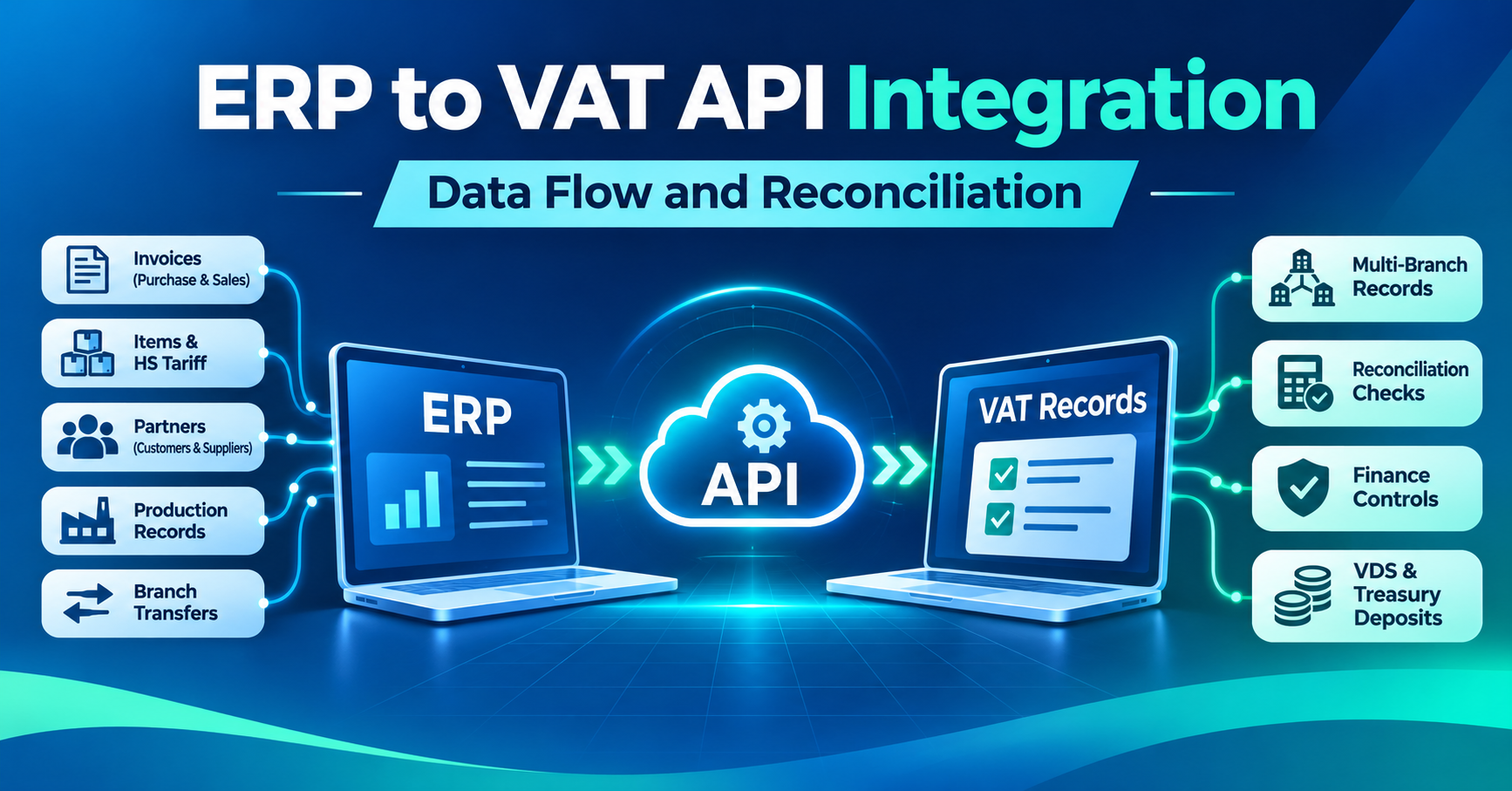
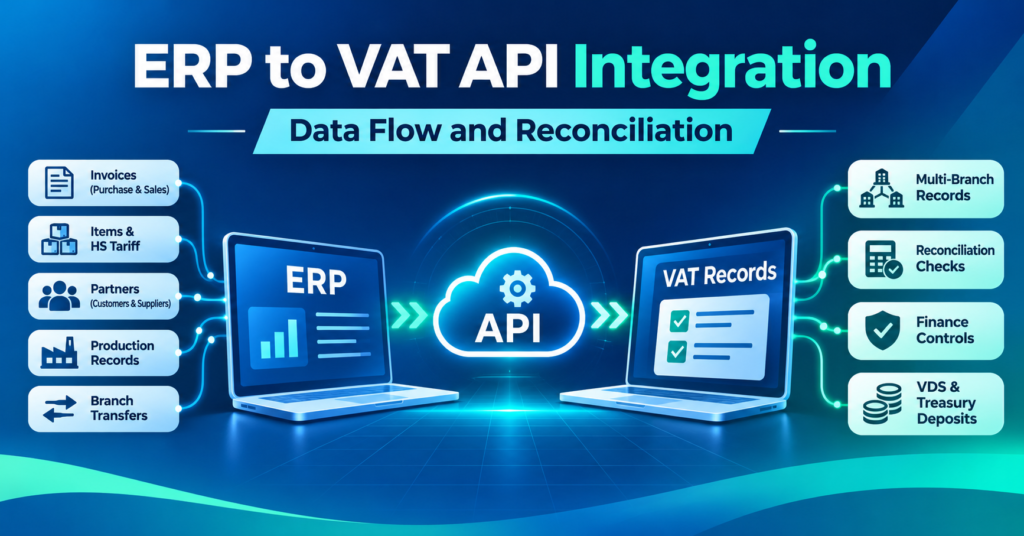
Where ERP data also feeds VAT processes, finance should understand who owns data-flow or reconciliation issues.
The iBOS guide on ERP-to-VAT API integration explains why transaction flow and finance reconciliation need to be considered together.
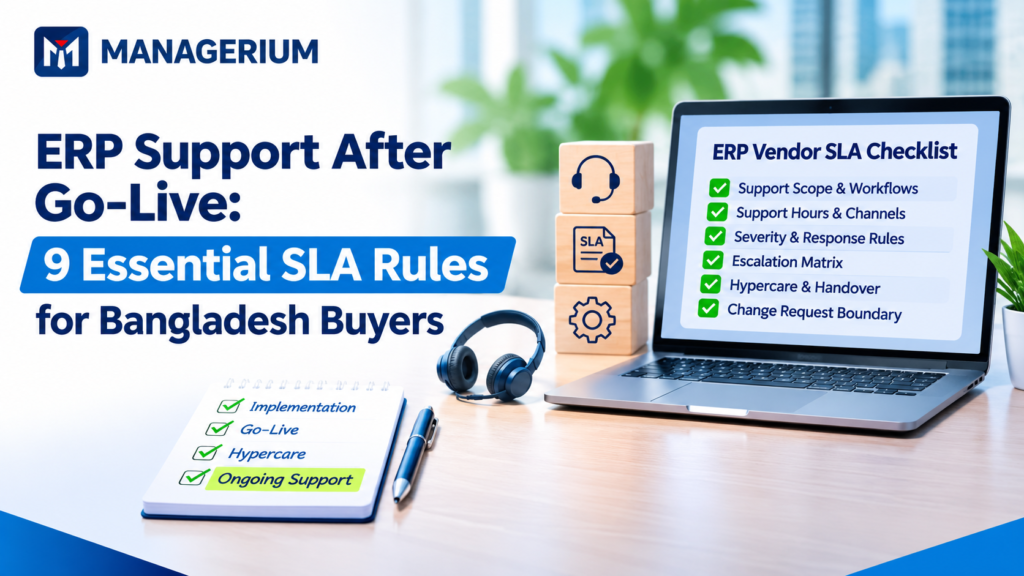
2. Put the Support Scope in Writing
An ERP vendor SLA should remove ambiguity.
At minimum, buyers should expect the agreement or its supporting documents to define:
| SLA Area | What Should Be Clear |
|---|---|
| Support scope | Modules, workflows, business units and exclusions |
| Support window | Normal support hours and any agreed urgent route |
| Ticket process | Approved channels, requestors and required evidence |
| Severity model | How business impact determines priority |
| Escalation | Who receives unresolved or critical issues |
| Change control | What is support and what becomes new scope |
| Review process | How open and recurring issues are reviewed |
If any of these areas are described only as “as required” or “support provided,” clarify them before go-live.
Define Support by Workflow, Not Just by Module
An ERP contract may say that Inventory, Sales or Accounts are covered.
That still leaves an important question unanswered:
Which workflows inside those areas are included?
For example, “Inventory support” could mean very different things depending on whether the business needs help with:
- warehouse receiving
- stock transfer
- adjustments
- approval-related issues
- stock reports
- transaction reconciliation
Ask the vendor to document support scope at a level that both sides can interpret consistently later.
This becomes especially important when evaluating an ERP software company in Bangladesh, because the real value of local ERP support is not simply the label “local support.”
It is whether the support team understands the workflows, deadlines and escalation conditions that actually matter to your operation.
3. Define How Support Tickets Must Be Raised
Good ERP support after go-live depends partly on the quality of information reaching the support team.
Support becomes slower when the vendor has to ask for basic information after every ticket.
A good ticket process should identify what users need to provide.
For example:
- business unit or branch
- affected user
- transaction reference
- date and time of issue
- module or workflow
- screenshot where useful
- expected result
- actual result
- business impact
“System not working” is difficult to diagnose.
“Warehouse A cannot complete stock transfer receipt for transaction X, affecting today’s branch replenishment” gives the support team much more useful information.
Microsoft’s official Dynamics 365 go-live checklist also treats operational support readiness as part of launch readiness. It recommends preparing the support transition, support resources, monitoring and support processes before production go-live.
That principle applies beyond one ERP platform:
support readiness should be part of go-live readiness.
4. Agree on Hypercare Before the Launch
The first period after go-live usually needs more attention than normal steady-state support.
Instead of assuming a fixed universal number of days, buyers should agree on a hypercare period appropriate to their:
- transaction volume
- number of locations
- workflow complexity
- rollout scope
- implementation risk
During hypercare, businesses may need:
- more frequent issue review
- named vendor and client owners
- closer monitoring of critical workflows
- quicker operational decisions
- a visible open-issue register
| Area | Hypercare | Steady-State Support |
|---|---|---|
| Review frequency | Frequent or daily where needed | Agreed routine |
| Ownership | Named implementation/support team | Normal support structure |
| Priority | Stabilising live operations | Ongoing support queue |
| Monitoring | Critical workflow watchlist | Standard issue monitoring |
Microsoft’s guidance on transitioning to support operations describes hypercare as a short post-go-live period with additional resources and attention around users and business processes.
It also recommends having clear criteria for ending hypercare rather than treating the end date alone as proof that the system is stable.
When Should Hypercare End?
A better exit test is whether:
- critical blockers are resolved
- major workflows are stable
- unresolved issues are classified
- owners are assigned
- normal support contacts are confirmed
Your implementation-to-support handover should also continue the validation discipline established during migration.
The ERP data migration checklist for Bangladesh businesses is useful context for the controls that should not disappear immediately after cutover.
5. Define Severity by Business Impact
“Critical,” “high,” and “medium” only help if everyone understands what those words mean.
Severity should be tied to business consequences.
| Severity | Example Business Impact | What the SLA Should Define |
|---|---|---|
| Critical | Core invoicing, receiving or posting cannot continue | Escalation path and agreed response process |
| High | A major workflow, warehouse or branch is blocked | Priority handling and restoration approach |
| Medium | Workaround exists but normal process is affected | Fix or review process |
| Low | Minor, non-blocking issue | Normal backlog or release process |
The exact response and resolution commitments should come from the commercial SLA agreed with the vendor.
Do not copy generic response-time numbers from another ERP contract and assume they are right for your organisation.
Response Time and Resolution Time Are Different
A support team can respond to a ticket quickly without solving the business problem.
Your ERP support SLA should distinguish between:
- Ticket acknowledgment
- Investigation or diagnosis start
- Workaround, where appropriate
- Target restoration or resolution
Also define what happens if the support team is waiting for information from your organisation or from a third-party provider.
If an SLA clock can pause, the reason and status should be visible in the ticket.
Otherwise, both sides can end up measuring the same incident differently.
6. Build an ERP Escalation Matrix
A critical ERP issue should not remain trapped in a general support queue.
The SLA should identify an escalation path.
A typical structure might look like:
Support Desk → Functional Owner → Technical Owner → Management Escalation
The actual structure will depend on the vendor.
The important point is that the buyer knows where an issue goes next when normal support is not enough.
Microsoft’s official support transition checklist similarly recommends formal escalation procedures, clear criteria, support tiers, SLAs and operating windows.
Separate Technical and Business Escalation
Not every urgent decision is technical.
Suppose stock-transfer processing is blocked.
The vendor may be investigating the system while the business still needs someone to decide whether a temporary operational process can be used.
That business decision should belong to an authorised internal process owner.
Technical investigation and business workaround approval should therefore have separate owners.
Good ERP support after go-live needs both.
7. Put Support vs Change Requests in Writing
This is where many post-go-live disagreements start.
A buyer reports something as a support issue.
The vendor says it is a change request.
The SLA should make that distinction clearer before go-live.
Typical Support Issue
Examples may include a documented supported workflow behaving incorrectly or an agreed transaction failing during normal supported use.
Configuration or Process Change
Examples may include:
- changing an approval route
- revising master configuration
- changing a report format
- adjusting an agreed workflow
Whether these are included or separately chargeable depends on the contract.
New Scope
Examples may include:
- new branch rollout
- additional module
- new integration
- new custom report
- substantial process redesign
- fresh training outside the agreed scope
As the organisation grows, commercial changes should follow a defined process.
This is also why buyers should understand the difference between user-based and scope-based ERP pricing before additional branches, users, workflows or integrations are requested after go-live.
8. Define Vendor and Client Responsibilities
ERP support works best when both sides know what they own.
| Area | Vendor | Client IT | Department Super-User |
|---|---|---|---|
| Ticket review | Investigate and communicate | Support access | Explain business impact |
| Root-cause review | Lead system review | Provide environment details | Validate workflow |
| Local connectivity/device issue | Advise where relevant | Primary owner | Report symptoms |
| Master-data discipline | Guide | Support where applicable | Primary business owner |
| Temporary workaround | Recommend | Assist | Approve business use |
This prevents the common situation where a ticket moves between teams because nobody knows who should make the next decision.
Internal super-users are especially important in finance, inventory, sales, warehouse, production and payroll where applicable.
They understand whether a technical fix actually works in the real process.
Data Discipline Still Belongs to the Business
ERP support after go-live cannot replace:
- correct transaction entry
- master-data discipline
- timely approvals
- user accountability
- physical inventory control
- internal process ownership
A support team can investigate a system issue.
It cannot compensate for an undefined business process.
9. Add Bangladesh-Specific SLA Rules
A generic international SLA template may not cover every operating pressure relevant to a Bangladesh business.
Month-End and Finance Closing
If month-end closing is business-critical, clarify whether support availability or escalation differs during that period.
Do not assume extra coverage exists unless it is agreed.
VAT-Sensitive Processing
If ERP transactions feed VAT-related workflows or reconciliation, define how critical transaction or integration issues will be handled during compliance-sensitive periods.
For finance teams working across ERP and VAT systems, the ERP-to-VAT API integration guide also explains which data flows should be reconciled instead of assuming an integration alone guarantees correct compliance records.
Multi-Branch and Multi-Warehouse Operations
A blocked warehouse transfer may affect more than one user.
For distributed operations, severity should consider the number of branches, warehouses or processes affected.
Weekends and Holidays
Businesses operating during periods when the vendor’s standard support team may not be available should agree on the applicable support route in advance.
The principle is simple:
Operational expectations should be written, not assumed.
Red Flags in an ERP Support Agreement
Review the agreement carefully if you see any of these:
- “Support included” without defining what is covered
- no severity definitions based on business impact
- no escalation route beyond the first support contact
- no distinction between support and chargeable changes
- no named ownership on the client side
- no ticket evidence requirements
- no rule for critical business periods
- no clear transition from implementation to normal support
None of these automatically means the vendor is wrong for your business.
But each one creates room for disagreement after launch.
Practical ERP Vendor SLA Checklist Before You Sign
Before approving the final support model, ask:
- Which workflows are covered after launch?
- Which support channels should our team use?
- Who is allowed to raise critical tickets?
- How is severity determined?
- What does the escalation path look like?
- What happens during the initial hypercare period?
- How does hypercare end?
- What is considered support?
- What is considered a configuration change?
- What becomes new scope?
- Who can approve temporary workarounds?
- What responsibilities remain with our IT team?
- Which department super-users do we need?
- How are recurring issues reviewed?
- What support rules apply around month-end or other critical periods?
Also request the supporting documents you will actually need after launch:
- module and workflow support scope
- severity definitions
- escalation matrix
- support calendar
- named contacts
- ticket logging requirements
- change-request process
What Should an ERP SLA Include After Go-Live?
An ERP SLA after go-live should define support scope, issue severity, support channels, escalation, ownership, exclusions and the boundary between included support and separately scoped work.
The exact service commitments should match the business impact and the commercial agreement between buyer and vendor.
How Long Should ERP Go-Live Support Last?
There is no single duration that fits every ERP implementation.
The appropriate hypercare period depends on rollout complexity, transaction volume, number of locations and how quickly critical workflows stabilise.
Instead of focusing only on a number of days, define clear exit criteria.
What Is the Difference Between ERP Support and a Change Request?
Support generally deals with agreed functionality not working as intended during supported use.
A change request normally introduces or modifies scope, such as a new workflow, integration, branch, report or another requirement beyond the existing agreement.
The contract should define that boundary clearly.
Who Should Own ERP Issues After Go-Live?
Ownership should be shared.
The vendor handles system investigation and functional guidance under the agreed support model.
Client IT typically manages access and local environment issues.
Department owners or super-users validate the business impact and confirm whether the proposed fix or workaround works operationally.
Should ERP Support Cover Month-End and VAT-Sensitive Periods?
If those periods are operationally important to your business, they should be discussed explicitly in the SLA.
Do not assume special escalation or availability exists automatically.
Define the applicable support route, escalation method and responsibilities before go-live.
Choosing an ERP Vendor Also Means Choosing a Support Model
ERP evaluation should not stop at the demo.
For manufacturing, trading and distribution businesses, the ERP will eventually sit inside daily purchasing, inventory, warehouse, sales, finance, production and reporting processes.
Managerium connects core ERP areas including Procurement, Sales, Inventory & Warehouse, Accounts & Finance, Production, Payroll and Fixed Assets within a broader business management environment.
If you are evaluating the Managerium ERP platform, discuss the post-go-live support model alongside implementation scope rather than treating support as a conversation for later.
The stronger buying question is not:
“Does the ERP vendor provide support?”
It is:
“What exactly happens when a live business process stops working, who owns it, and what have we agreed before that moment arrives?”
If you are currently evaluating an ERP vendor, schedule a discussion with the iBOS team to map implementation scope, workflows and post-go-live support expectations before final sign-off.